
Car Lab: Predicting Travel Distance with Data
Build a car, change its motor settings and measure the distance travelled. Find a pattern in a scatter plot and predict a new travel distance.

Start your car research
Notes for teachers
For ages 13–15 · two sessions, 90 minutes total. Use session 1 for the research question, assembly and driving code; session 2 for measuring, plotting, predicting and reporting. Rotate assembly, operation, measuring and recording roles.
You are researchers testing a new car. Instead of saying “It runs well”, which measurements could describe its performance?
Will a higher motor setting make the car travel farther in the same 5 seconds? State your prediction and reason before testing.
The motor setting (%) is a command sent to the motor. It is not a direct measurement of the car’s actual speed.
Assemble the test car
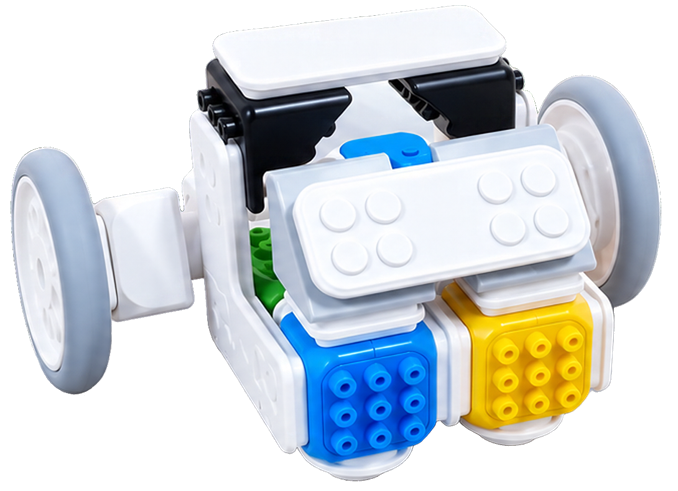
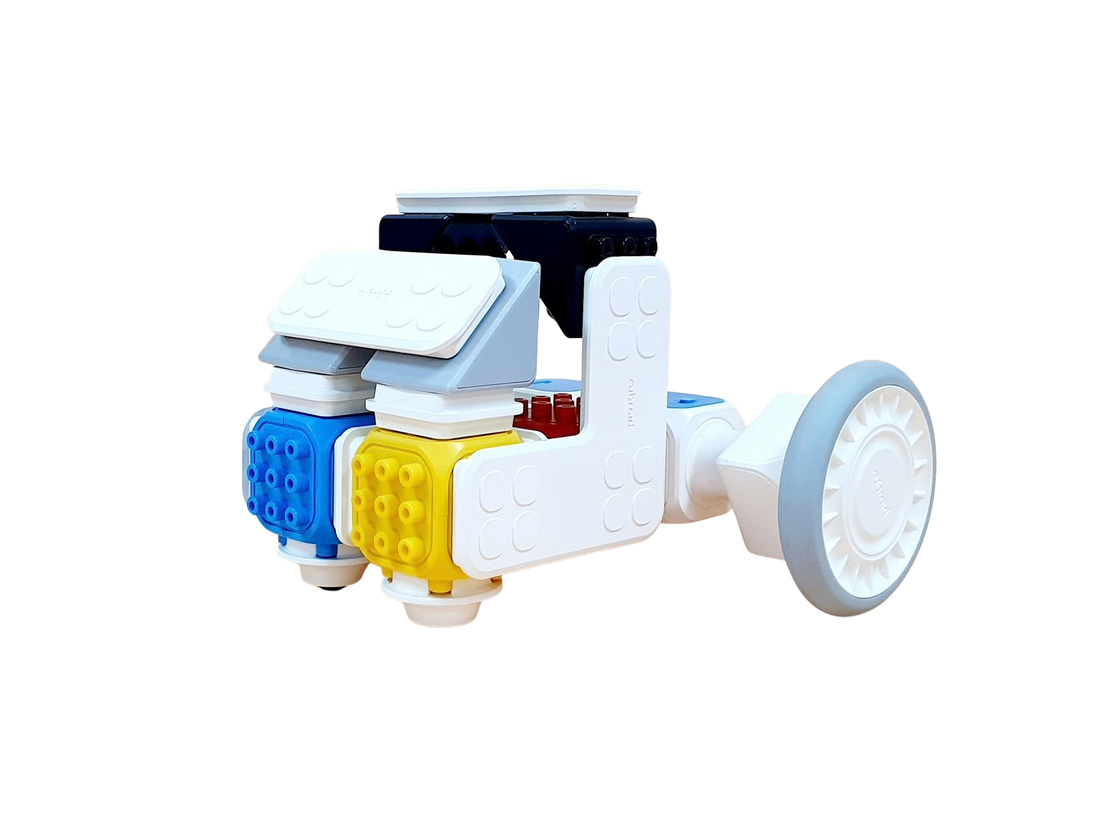
Follow the photos in order. Join the blocks firmly and check that the wheels turn freely.
View the front and side
Do the wheels touch the floor evenly, and are the blocks secure? With power off, gently push the car and check that it rolls straight.
Connect and program the car
- Power and group
Switch on both DC motors and check your kit’s group number.
- Connect blocks
Select Connect blocks at the top right of the app and enter the group number.
- Pair your motors
Choose a motor and pair it in Chrome’s dialog. Do not select a motor that is already connected.
Change the setting; keep the time fixed
Set both motors to 40%, drive for 5 seconds, then turn both off. For later trials, change both settings together to 50%, 60%, 70% and 80%.
when @greenFlag clicked :: hat events
set DC motor [1 v] speed to (40) % :: #0FBD8C
set DC motor [2 v] speed to (40) % :: #0FBD8C
DC motor [1 v] [rotate left v] :: #0FBD8C
DC motor [2 v] [rotate right v] :: #0FBD8C
wait (5) seconds :: control
turn DC motor [1 v] off :: #0FBD8C
turn DC motor [2 v] off :: #0FBD8C
The motors face opposite ways, so their rotation directions differ. Test briefly to check that the car moves straight ahead. Stop both motors before touching the wheels and keep the driving path clear.
Experiment and record
| Item | Method and explanation |
|---|---|
| Change · independent variable | Both motor settings: 40%, 50%, 60%, 70%, 80% |
| Measure · dependent variable | Distance travelled in 5 seconds (cm) |
| Keep fixed · controlled variables | Keep the 5-second driving time, car, surface, starting position and load the same. |
- Line up
Align the same point on the car with the starting line and set both motors.
- Drive for 5 seconds
After it stops, measure the distance travelled by the same reference point in cm and record it.
- Repeat with a new setting
Test from 40% to 80% in order. If possible, repeat each setting and compare the variation.
| Motor setting (%) | Example distance (cm) | Our distance (cm) |
|---|---|---|
| 40 | 5 | ________ |
| 50 | 6 | ________ |
| 60 | 8.5 | ________ |
| 70 | 10 | ________ |
| 80 | 13 | ________ |
The example distances are practice data from the lesson. They are not guaranteed results for your car. Enter your own measurements in your group’s column.
Analyse data and predict
Add Data Charts from Extensions at the bottom left of the app. Clear the points, set a title, then load (setting, distance) pairs separated by semicolons. Finally, show the scatter plot.
when @greenFlag clicked :: hat events
clear all points :: #1f8bf0
set chart title to [Motor setting and distance in 5 seconds] :: #1f8bf0
load points [40,5;50,6;60,8.5;70,10;80,13] :: #1f8bf0
show scatter plot :: #1f8bf0
set [Predicted distance · 100% v] to (predict y when x = (100) :: #1f8bf0) :: variables
For example, 40,5 means a setting of 40% and a distance of 5 cm. Use a decimal point (.) in the app’s data string. Replace the example string with your group’s measurements for your own analysis.
Horizontal: motor setting (%) · vertical: distance in 5 seconds (cm)
What does one point represent?
A pair of values from one trial: its setting and distance. For example, (40, 5) means the car travelled 5 cm in 5 seconds at a 40% setting.
Which way do the points trend?
In the example, distance tends to increase with the setting. Check whether your data show the same pattern. For a point far from the pattern, check the surface, starting position and wheels.
Predict the distance at 100%
100% is outside the measured range of 40–80%. The prediction assumes the pattern continues; it is not a real measurement. Record your estimate and reason first. Only if space and safety allow, test it for the same 5 seconds and compare.
View a calculation using the example data
Fitting a straight line to the five example points predicts about 16.5 cm at 100%. This is a linear estimate from the example data, not a guaranteed distance for the real car.
Horizontal: motor setting (%) · vertical: distance in 5 seconds (cm)
| Item | Method and explanation |
|---|---|
| Results | How did distance change with the setting? Use evidence from the table and scatter plot. |
| Prediction and comparison | What distance did you predict at 100%? If you tested it, describe the difference and possible reasons. |
| Reflection | Choose one thing you did well and one to practise: measuring, recording, explaining the plot or predicting. |
Stop the program, turn off the motors and put away the blocks and measuring tools.
Built it, coded it and tested it? Tap to save your progress.